Important: This article was originally published in 2011, and I wouldn’t recommend you use mcrypt in your PHP project any more (reasons why). If you absolutely need it… then read on….
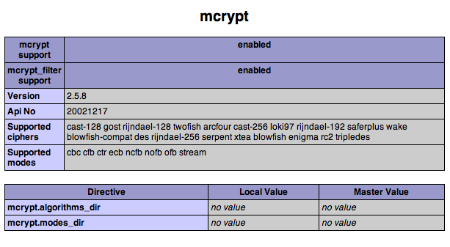
If you have a need to install the mcrypt extension for PHP, for example if you need to use phpMyAdmin, Magento or Laravel, then these instructions are for you.
Thankfully, it is becoming simpler to install PHP extensions than with previous versions of OS X.
Xcode
The Xcode package installs the necessary tools which are needed during the PHP extension compilation process. Make sure you have at least Xcode v4.1 installed; the install package (“Install Xcode”) is available in your “Applications” folder.
If you are running Xcode 4.3 or above, please check you have the command line tools installed before proceeding.
Autoconf
The most recent version of Xcode does not include autoconf which is a pre-requisite. To check that you have it, run the following command in your Terminal:
autoconf --version
If you see output similar to the following, then it means you have it installed — skip to the libmcrypt section.
autoconf (GNU Autoconf) 2.61

Copyright (C) 2006 Free Software Foundation, Inc.

This is free software.  You may redistribute copies of it under the terms of

the GNU General Public License .

There is NO WARRANTY, to the extent permitted by law.
Written by David J. MacKenzie and Akim Demaille.
If you get a command not found error, then you will need to perform the following to install autoconf:
cd /tmp

curl -O http://ftp.gnu.org/gnu/autoconf/autoconf-latest.tar.gz

tar zxvf autoconf-latest.tar.gz

cd autoconf-2.69

./configure; make

sudo make install
libmcrypt
libmcrypt is the library that provides the encryption functions. We need to install this before building the PHP extension.
- Open up Terminal.app
- Download libmcrypt from sourceforge
- Unpack the archive somewhere
cd libmcrypt./configuremakesudo make install
PHP Extension
Once we have libmcrypt installed, we can build the PHP extension. One important point: even though PHP 5.3.8 is now the default since Mac OS X 10.7.3, attempting to compile with these sources results in the following error:
php-5.3.8/ext/mcrypt/mcrypt.c:283: error: ‘PHP_FE_END’ undeclared here (not in a function)
Therefore, we need to use PHP 5.3.6 sources which compiles fine and still works with 10.7.3.
You should see output similar to the following:
Configuring for:
PHP Api Version:         20090626
Zend Module Api No:      20090626
Zend Extension Api No:   220090626
./configuremakesudo make install
On successful install, you will see the following message:
Installing shared extensions: /usr/lib/php/extensions/no-debug-non-zts-20090626/
To enable the module, include the following line in your /etc/php.ini file:
extension = mcrypt.so
Finally, restart your Apache server:
sudo apachectl restart
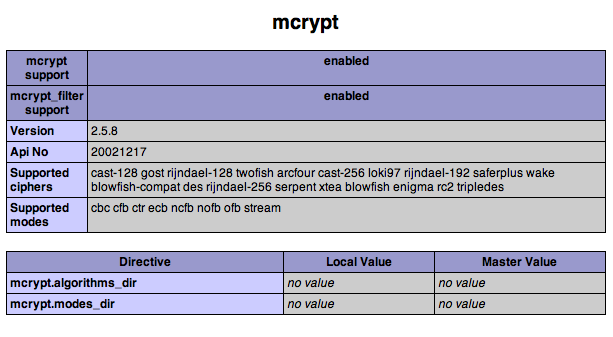
And that’s it: you should now be able to utilise the functions, as detailed in the PHP mcrypt documentation.
P.S. – Looking for a reliable hosting provider for your PHP projects? I recommend Clook:

I’m a freelance software developer with 18 years’ professional experience in web development. I specialise in creating tailor-made, web-based systems that can help your business run like clockwork.
I am the Managing Director of Yellow Square Development.
More Posts
Follow Me: